Plans and billing
Choose a workspace plan and manage its subscription.
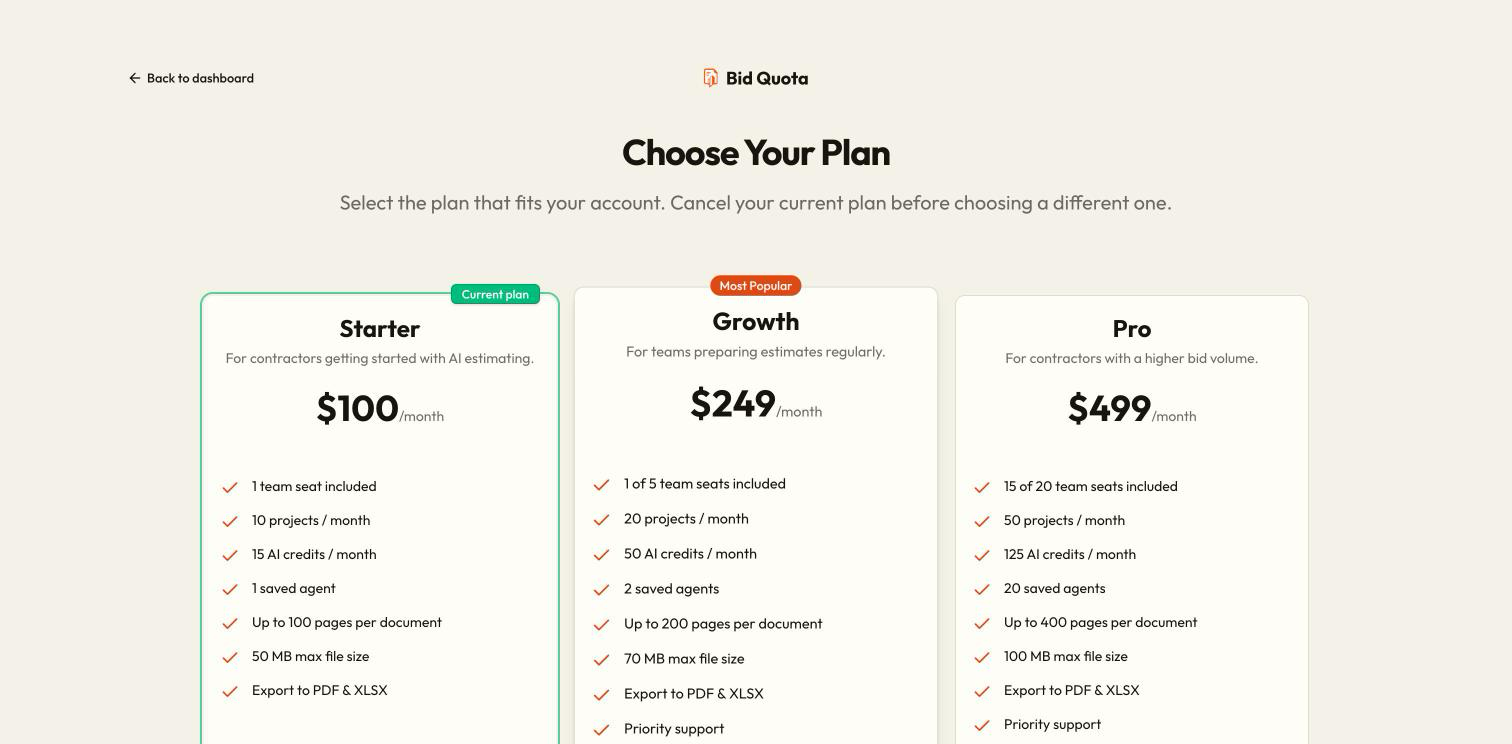
Bid Quota offers Starter, Pro, and Enterprise plans. The pricing page shows the current price, AI allowance, project limits, seats, and export formats. Limits can differ by plan; use the live pricing and billing screens for the values that apply to your workspace.
Only the workspace owner can buy or change its subscription and manage billing. Members can see plan information and ask their owner to resolve payment or plan notices.
Select the workspace
Use the switcher to choose the personal workspace or organization you want to pay for.
Review the available plans
Open pricing from the plan or billing screen. Confirm the selected workspace, billing interval, and included limits. Enterprise uses the contact action rather than ordinary online checkout.
Complete checkout
Choose the available plan action and follow the payment steps. Review the amount and interval before completing payment.
Verify activation
Return to Settings → Billing. Wait for the plan information to finish loading and check the subscription status. Payment confirmation may take a moment to reach the app.
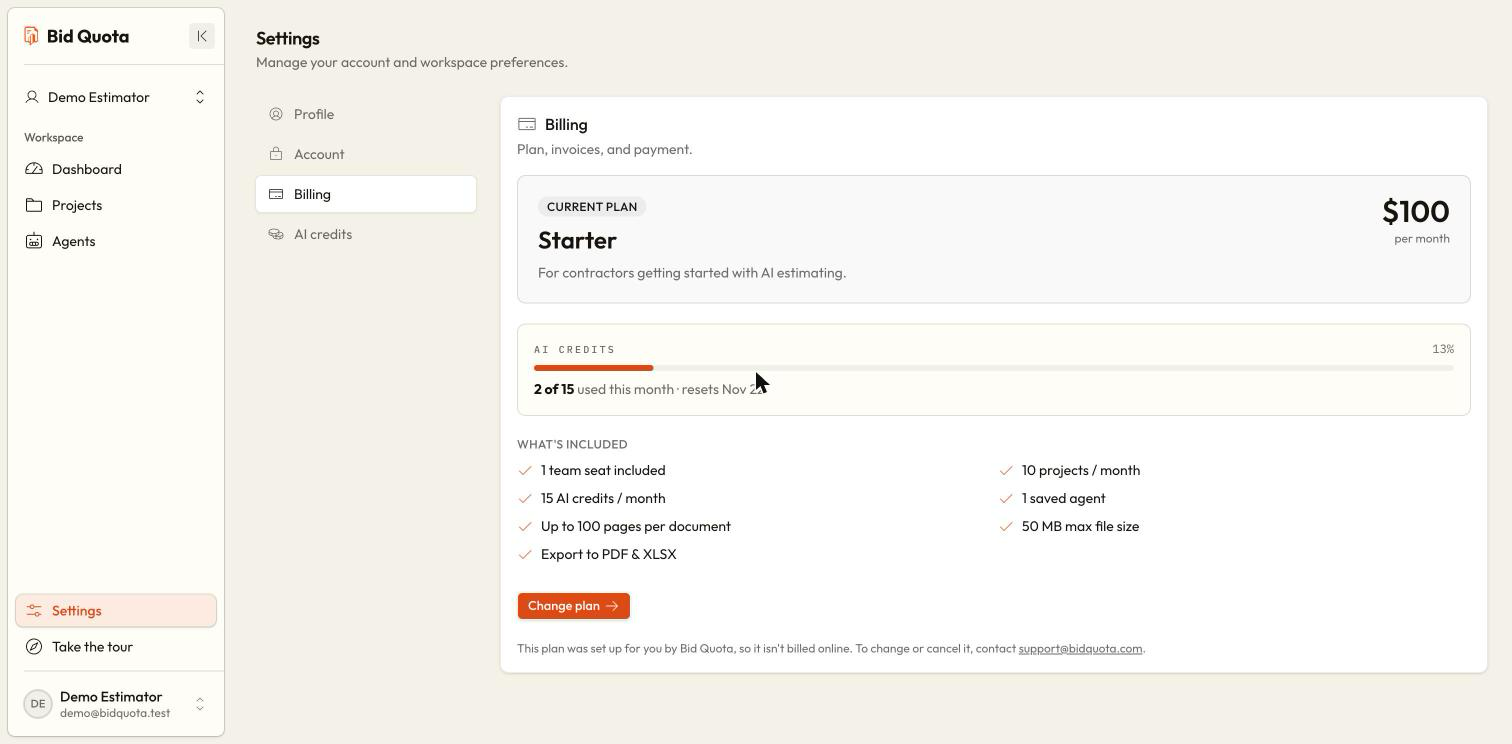
Billing actions and states
| Control or state | Meaning |
|---|---|
| Manage billing | Opens billing management for payment details and available invoice information. |
| Cancel plan | Schedules cancellation at the end of the paid period; read the confirmation and end date. |
| Keep my plan | Removes a scheduled cancellation while the subscription can still be resumed. |
| No active plan | The selected workspace needs a usable subscription for paid features. |
| Payment problem | The owner should review the billing notice and payment details. |
| Canceled or ended | A plan name alone does not mean paid features are still active. Follow the displayed action. |
Cancel or resume
Choose Cancel plan, review the end date, and confirm if you intend to stop renewal. If you change your mind before the scheduled end, use Keep my plan when offered. Once a plan has ended, follow the available plan-selection action instead.
Credits do not replace a subscription
Does another workspace's plan cover this one?
No. Check the workspace on the pricing and billing screens. A personal subscription and an organization's subscription are separate.
What if my preferred export is unavailable?
Read the refusal message to see which formats the plan includes. Ask the owner to review the plan if you need another format. AI credits are separate from format permissions.