Agents
Reuse estimating instructions without rewriting them for every question.
An agent is a saved set of instructions for a recurring task, such as checking scope or reviewing a bid. It helps you ask consistently; it does not add documents, prices, or special access to a project.
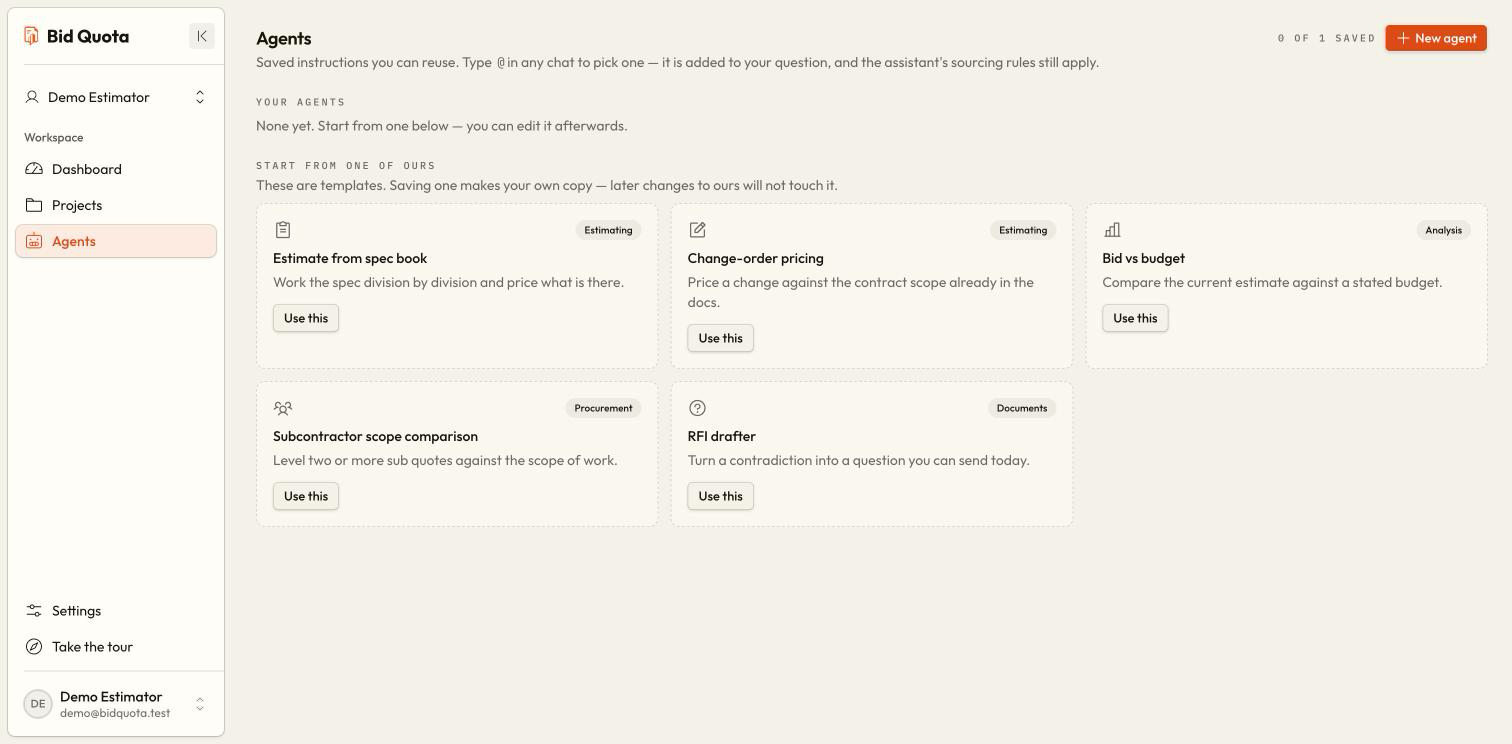
Browse the available agents
Open Agents in the workspace sidebar. Review starter agents and any agents saved for this workspace.
Create your own
Choose New agent, enter its name and the instructions in the form, and choose Create agent. Describe the task clearly, for example: “Check electrical scope for missing information and show the source of each finding.”
Use it in a project
Open the project’s Chat and type @. Choose an agent, add your question, and send. Use one agent per message.
Refine the instructions
Return to Agents, edit the saved instructions, and choose Save changes. Use the revised agent on a later message.
What makes a useful instruction?
Specify the trade, what to check, and how you will use the result. “Review Division 03 scope for exclusions I should verify before bidding” is more useful than “Do estimating.” Reference a particular uploaded file with / in Chat when needed.
Agents still follow the project's evidence rules. They cannot make unavailable facts certain, measure drawing geometry, or bypass estimate confirmation.
Who can manage agents?
Workspace members can create and update agents. Deleting an agent requires the owner. Deletion removes it from future selection; previous conversations retain the record of which agent was used.
Keep job-specific facts in the project