Exports and bid package
Download estimates, proposals, schedules of values, and RFI workbooks.
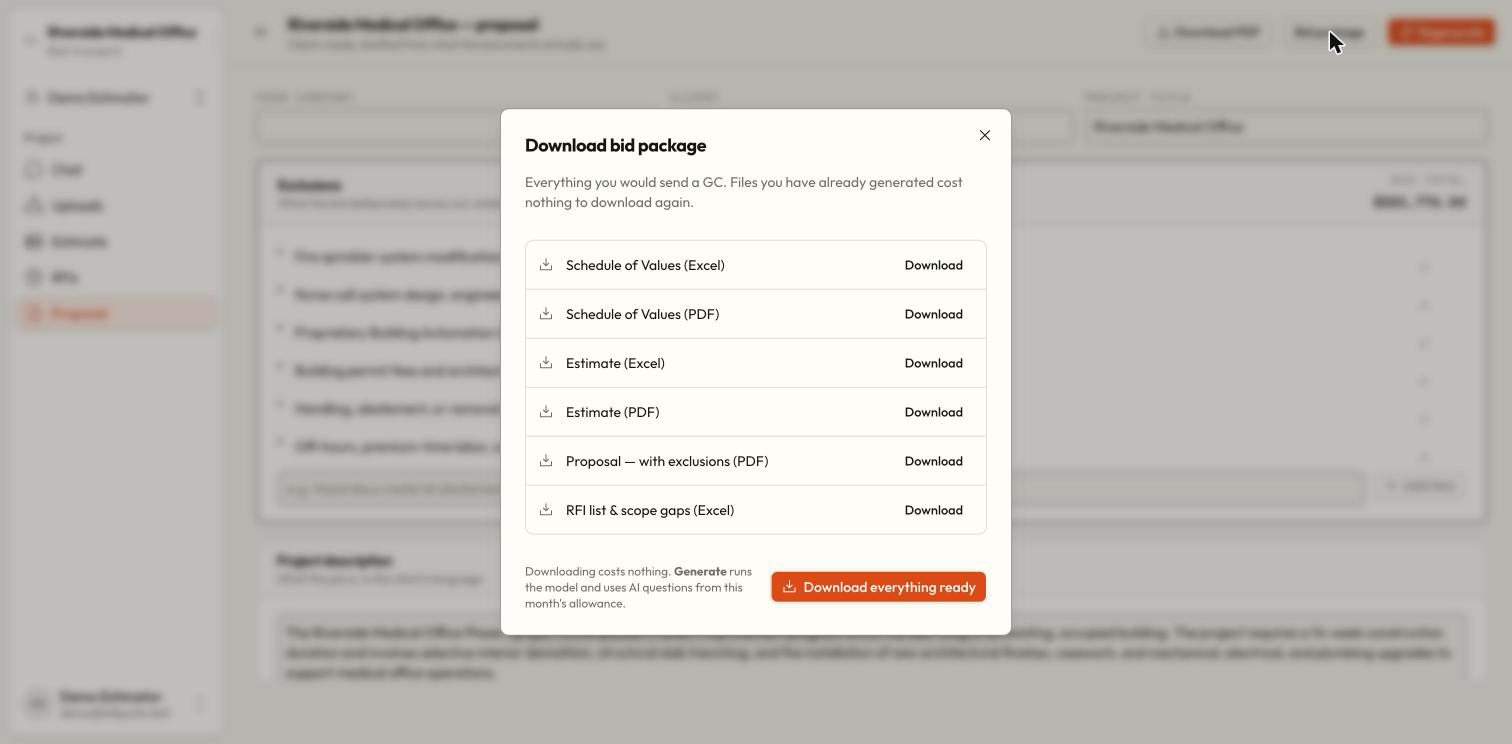
Use export controls on Estimate for individual documents, or open Bid package from Estimate or Proposal to see the deliverables together. Downloading existing work does not use AI credits; available formats still depend on the workspace plan.
Available deliverables
| Deliverable | Format | Prepare first |
|---|---|---|
| Estimate | PDF or Excel | Saved estimate |
| Schedule of Values | PDF or Excel | Saved estimate |
| Proposal with exclusions | Generated and reviewed proposal | |
| RFI list and scope gaps | Excel | Completed analysis |
The package is a set of separate downloads, not a single ZIP file.
Review the source work
Finish the estimate, check proposal wording, and review RFIs. Exports reflect the saved work, so resolve saving errors first.
Open Bid package
Choose Bid package on Estimate or Proposal. Each row tells you whether its prerequisite is ready.
Prepare missing items
Follow Build the estimate first for estimate-based documents. Use an available Generate action for analysis or proposal only after reviewing its stated AI cost.
Download what you need
Use a row’s Download action, or Download everything ready for ready deliverables. The panel tracks each download separately; Again repeats a completed download.
Inspect the files
Open the downloads and check names, totals, scope, exclusions, and revisions. Allow multiple downloads in your browser if it asks.
Why did one file fail?
A missing prerequisite or an excluded format can block one file while other downloads succeed. Read that row's error. Build the estimate, generate the proposal, or run analysis as requested; for a format limit, ask the owner to review the plan.
Are chat table downloads the same thing?
No. A chat table download captures that table, including your browser's table edits. Project exports are built from the saved estimate, proposal, or analysis. Use the download that matches the work you intend to issue.
Downloading and generating are different
Can I export with no credits remaining?
Credit exhaustion does not itself charge or block reading, editing, or exporting existing work. The plan's export permissions and the required saved deliverable still apply.