Proposal
Draft and review the wording that accompanies your price.
The Proposal page prepares client-facing wording from your project documents and priced estimate. Review its scope and exclusions carefully before issuing it with your bid.
Build the estimate first
Check quantities, rates, markups, and the bid total on Estimate. Proposal generation requires an estimate.
Generate the draft
Open Proposal and choose Generate proposal. Drafting… means generation is running. A page with no proposal yet is ready for you to start; opening it does not generate a draft.
Check the header details
Review Your company, Client, and Project title. Click away from an edited field to save it.
Review every section
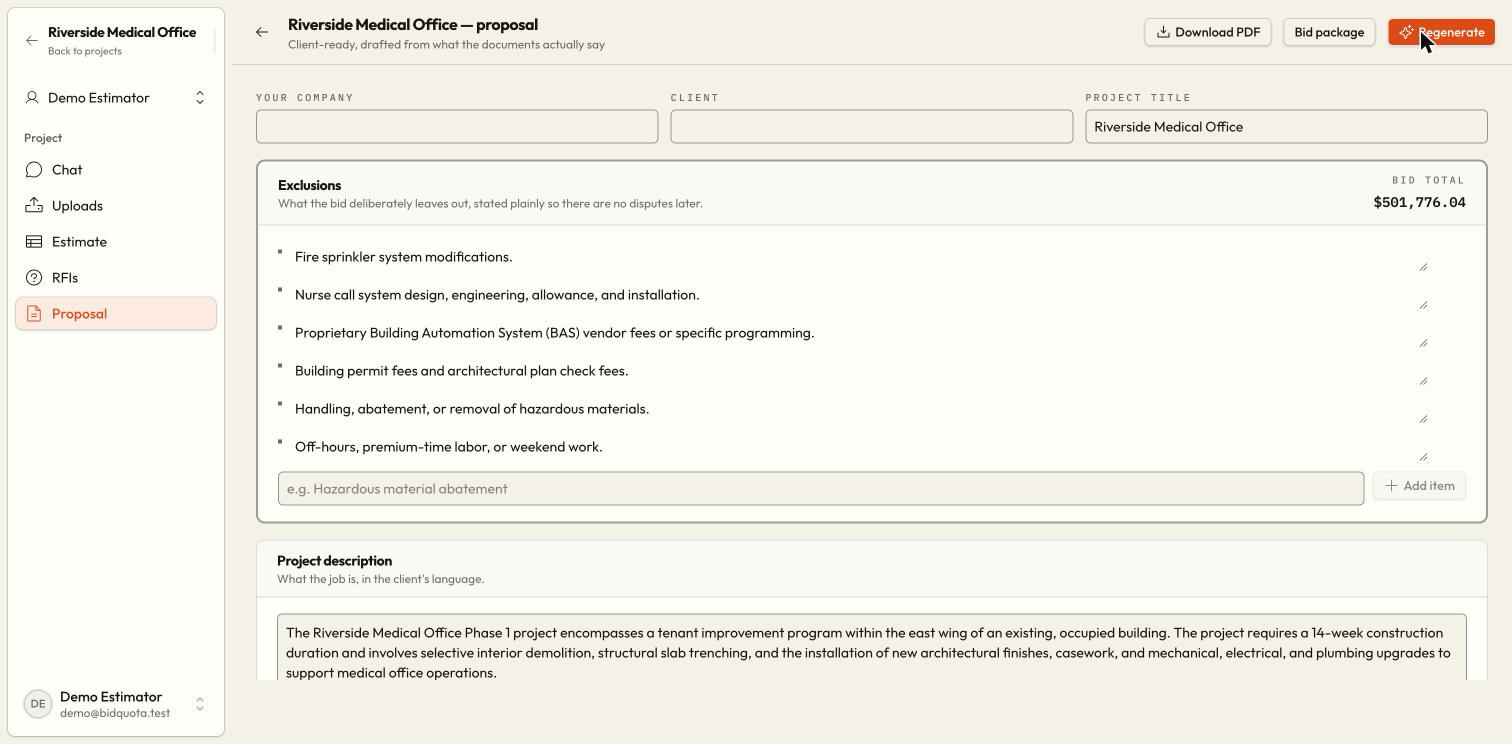
Check Exclusions, Project description, Scope of work, Inclusions, Assumptions, Qualifications, and Terms. Add or revise list entries using their controls.
Save the wording
Prose fields save when you click away. Wait for Saving… to finish and read any error. List changes save as you make them.
Download the reviewed copy
Choose Download PDF, or open Bid package for the other deliverables too. Open the downloaded proposal and check its details before sending it.
What each section is for
Inclusions state what your price covers. Exclusions state what it leaves out. Assumptions describe facts your price relies on. Qualifications place conditions on the offer, such as price validity. Terms cover payment, timing, and other agreed wording.
The page shows the bid total from the proposal or estimate. After changing the estimate, review the proposal again rather than assuming previously generated wording is current.
Regenerate replaces your wording
Why will generation not start?
Read the displayed error. Check that an estimate exists, the workspace has an active plan, and enough AI credits are available. A saved draft can be edited without generating another one.
Does Download PDF send the proposal?
No. It downloads a file for you to review and distribute through your usual process. See Exports for the full bid package.