Chat
Ask document-based questions and check every answer against its evidence.
Chat is the project's AI assistant. It uses uploaded project documents and your supplied cost data to answer questions, organize scope, and propose estimate changes. For project-data questions, the answer is normally a table with evidence rather than a long paragraph.
Wait for the documents
Check Uploads for Ready. Missing or unreadable documents can limit the answer.
Ask one clear question
For example: “List door fire ratings from the uploaded schedule. Include each sheet reference and exact quote.” Name the trade, document, or scope you want checked.
Select useful context
Type / to choose an uploaded file. Type @ to choose one saved agent for this message. Add your actual question before sending.
Watch the response
The assistant shows its activity while checking sources. Tables may show a loading shape while the answer is arriving; wait for the response to finish before reviewing it.
Verify the evidence
Compare the quoted text and sheet with your original documents. Follow up on conflicts, missing facts, or low-confidence readings.
Confirm an estimate change
If the answer proposes changes to the saved estimate, inspect the preview and choose Update estimate only when satisfied.
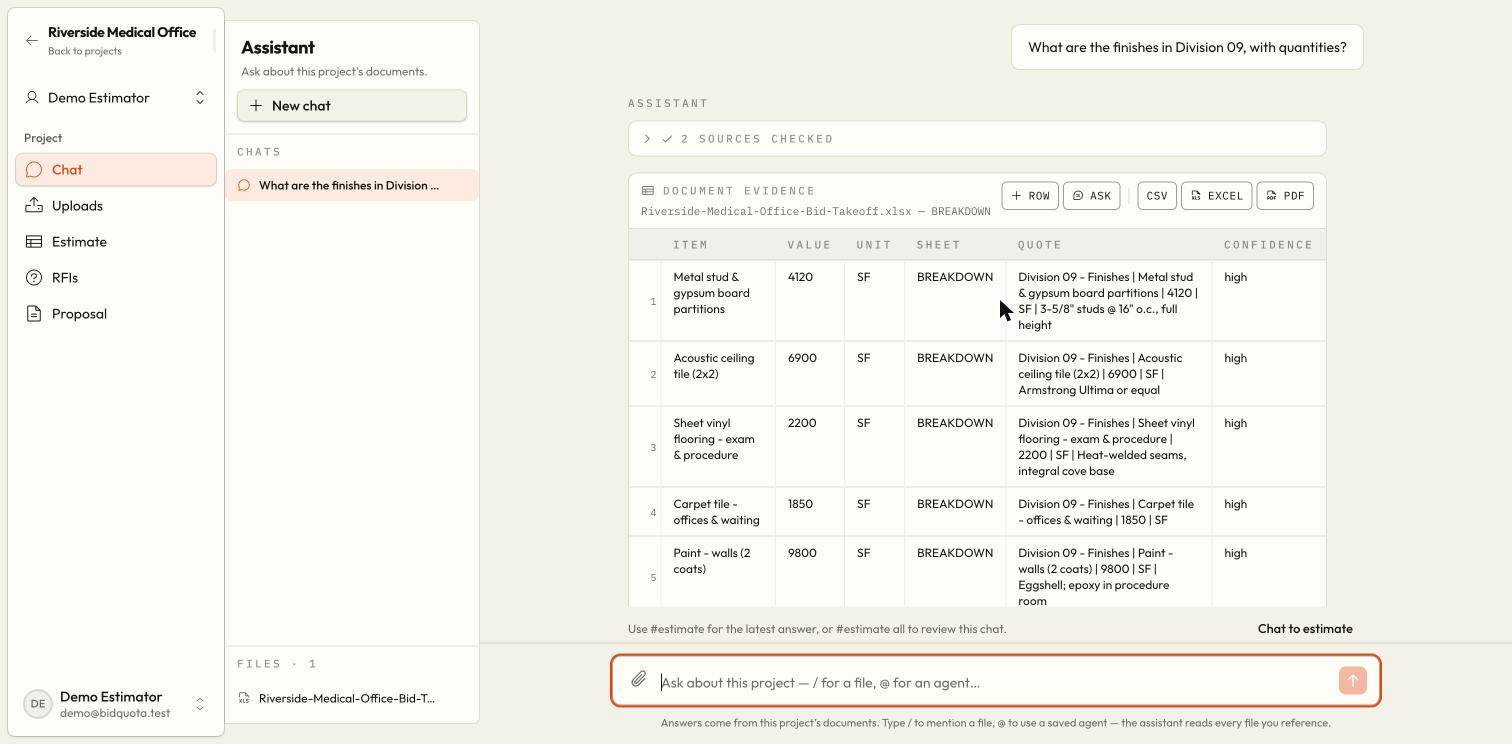
Read an evidence table
| Column | How to use it |
|---|---|
| Item | The scope or fact being checked. |
| Value and unit | The stated figure and its original unit. A blank does not mean zero. |
| Sheet | The printed drawing sheet reference, or the relevant source location. |
| Quote | The exact source wording supporting the answer. |
| Confidence | How cautiously to treat the reading; visually verify low-confidence evidence. |
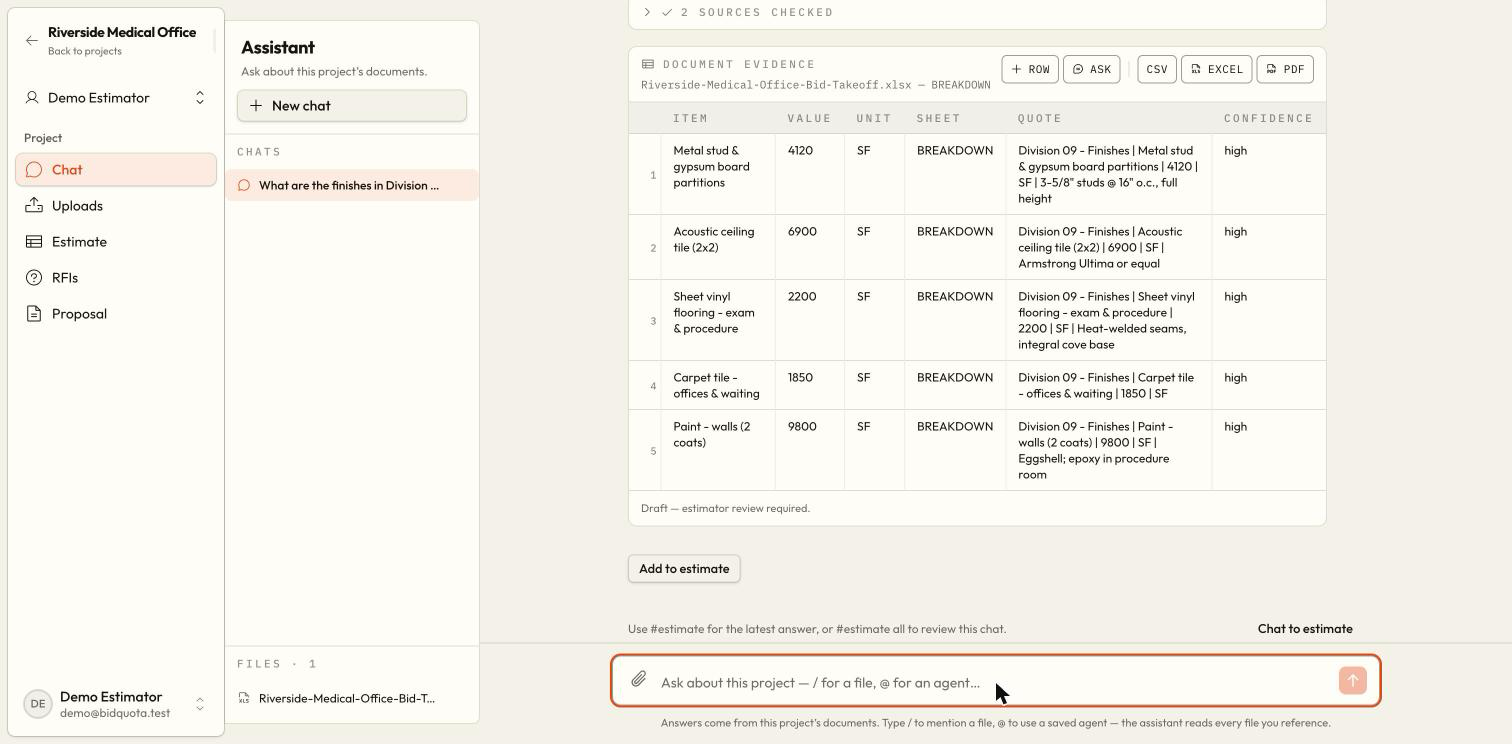
Text read from scans or drawing recognition is low confidence. If sheets disagree, review both quotations rather than assuming one was selected as correct. If text is unavailable or a value needs measurement, obtain the missing information yourself.
Edit a chat table
You can edit displayed table cells and download the resulting table as CSV, Excel, or PDF using its controls. These edits are kept in this browser separately from the saved conversation. They do not rewrite the original assistant answer or automatically change the project's estimate.
To move reviewed work into the estimate, use the estimate controls and review any confirmation preview. See Estimate.
Confirmation saves estimate changes
Why did the assistant ask a question instead?
It may need a clarification or lack evidence. Supply the missing document or detail. It must not invent project quantities or market rates to fill a blank.
Can I return to a previous conversation?
Yes. Use the project's conversation list to reopen saved threads. Generated files and checked-source information are retained with saved messages. Browser-local table edits should be downloaded before moving to another browser or device.